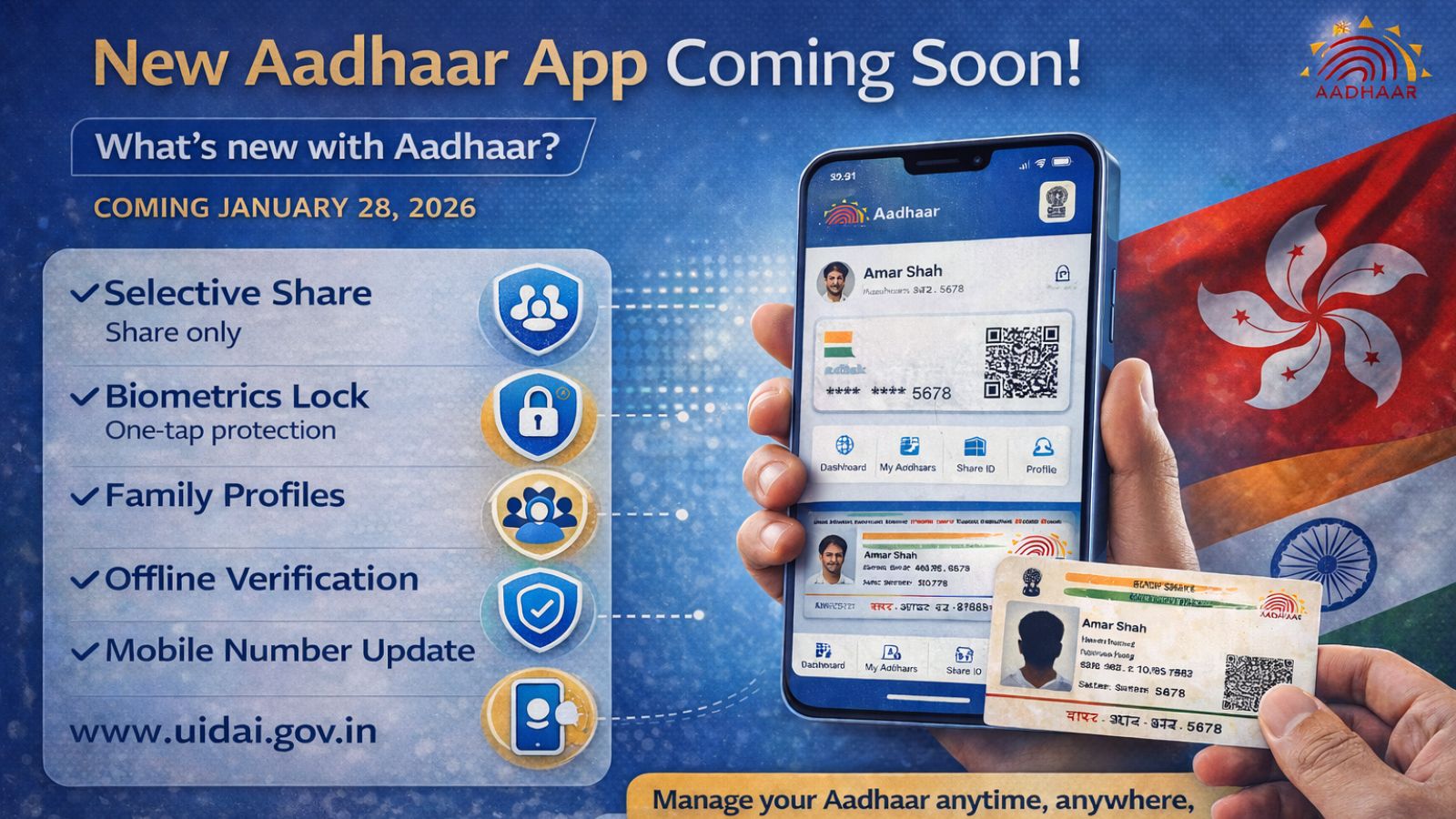
Aadhaar update: Aadhaar has become central to the lives of Indians. From getting a new mobile phone connection to filing for government subsidies to paying taxes, the 12-digit number comes in handy. While several million Indians use Aadhaar, over the years, they have also faced certain issues, such as the Aadhaar card getting misplaced or the mobile number connected to it getting outdated. Now, UIDAI is coming up with a full version of the Aadhaar app that promises to solve many of these problems.
Aadhaar: What is Aadhaar?
Aadhaar is a 12-digit unique identification number issued to Indian residents. The Unique Identification Authority of India (UIDAI) does this on behalf of the government.

Aadhaar uses: What is Aadhaar used for?
Aadhaar is used by the government to make delivery mechanism of its many schemes more efficient.
- The central and state governments consider Aadhaar a valid identity proof.
- It is needed to apply for a passport, and open bank or insurance accounts.
- Getting mobile phone connections means providing Aadhaar number.
- Even buying railway tickets on IRCTC and availing of concessions requires the 12-digit number. It is now mandatory for first-day online ticket bookings.
- Aadhaar-seeding also helps uncover duplicates entries, which means same beneficiary getting multiple benefits even if they are not eligible. Aadhaar helps put an end to this.
- Public Distribution System (PDS) beneficiaries, to attendance under the erstwhile Mahatma Gandhi National Rural Employment Guarantee Scheme (MGNREGS) is done using Aadhaar.
- You even need to link your PAN to Aadhaar to fill income-tax online.
Aadhaar PAN link: How to link PAN with Aadhaar
To link you PAN card with Aadhaar, which is now mandatory for availing of many services, you need to do the following five steps
- Visit the e-filing portal homepage and select Link Aadhaar from the Quick Links section.
- Enter your PAN and Aadhaar number, then click Validate.
- Fill in the required details and proceed by clicking Link Aadhaar.
- Enter the 6-digit OTP sent to the mobile number provided earlier and click Validate.
- Your request to link Aadhaar has been successfully submitted.
Aadhaar login: What can Aadhaar’s new app be used for?
Aadhaar’s new app will be make sharing contact details digitally possible. Even if you need to furnish ID and fail to find physical ID, you can use the new app. Example, you are at an airport check-in queue and as you snake through to the front of the line, you feel around your pockets to realise your physical Aadhaar card was left on the dressing room table. The new app will come in handy in such moments.
5
Key Features Enhancing Security & Convenience
Selective Share
Share only what’s needed. Enhanced privacy control lets you choose exactly what information to share.
Biometrics Lock
One-tap protection for complete security. Instantly lock and unlock your biometric authentication.
Family Profiles
Manage multiple Aadhaar profiles on one phone. Convenient family management in a single app.
Offline Verification
Verify identity safely and instantly. No internet required for secure identity verification.
Mobile Number Update
Update your mobile number using Aadhaar face authentication. Quick and secure self-service update.
Indian Express InfoGenIE
You can also change your mobile number in Aadhaar. In a post on its official X handle @UIDAI, it posted: “Aadhaar is expanding its service options to allow Aadhaar number holders to update their mobile number from anywhere, anytime. The full version of the Aadhaar App arrives on 28 January 2026”.
Why sift through documents or share full photocopies when you can share your identity in a smarter way?
This Aadhaar App brings you smarter, safer and faster ways to manage your identity — anytime, anywhere.
* Selective Share — Share only what’s needed, nothing more.
* Biometrics… pic.twitter.com/maOdNJBfAI— Aadhaar (@UIDAI) December 2, 2025
Another issue is the data risk coming from sharing full photocopies. That will also be taken care of by the new Aadhaar app with its Selective Share feature.
Aadhaar update: Aadhaar new app key features
Some key feature of the new app that goes live on January 28 are as follows
* Selective Share: Share only what’s needed.
* Biometrics Lock: One-tap protection for complete security.
* Family Profiles: Manage multiple Aadhaar profiles on one phone.
* Offline Verification: Verify identity safely and instantly.
* Mobile Number update: Update your mobile number using Aadhaar face authentication